codeandclicks codeandclicks codeandclicks codeandclicks codeandclicks codeandclicks codeandclicks codeandclicks

Code and Clicks

0

Loading ...
How to Create a User-Friendly Website Design for Better Engagement

How to Create a User-Friendly Website Design for Better Engagement

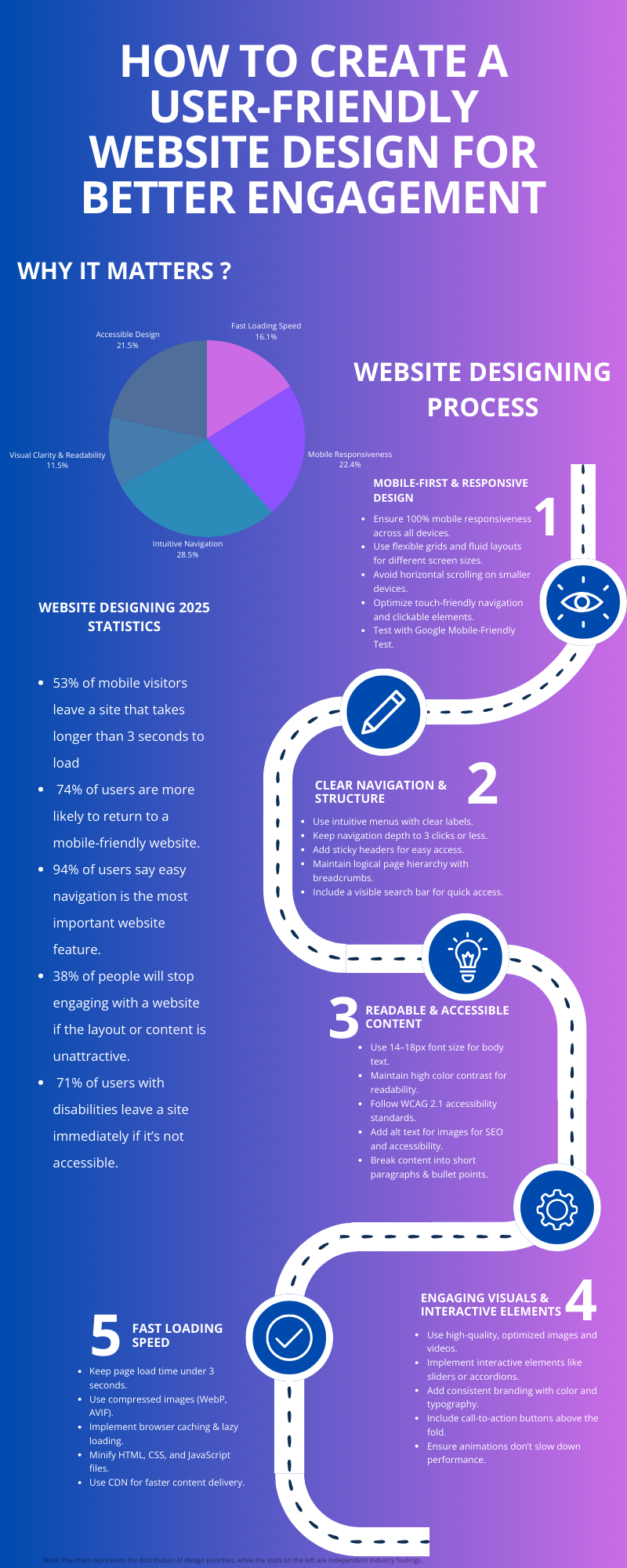
Why It Matters: User Friendly Website 2025 Statistics

  • 53% of mobile visitors leave a site that takes longer than 3 seconds to load
  • 74% of users are more likely to return to a mobile-friendly website.
  • 94% of users say easy navigation is the most important website feature.
  • 38% of people will stop engaging with a website if the layout or content is unattractive.
  • 71% of users with disabilities leave a site immediately if it’s not accessible.

How to Create a User Friendly Website? 

Mobile-First & Responsive Design

  • Ensure 100% mobile responsiveness across all devices.
  • Use flexible grids and fluid layouts for different screen sizes.
  • Avoid horizontal scrolling on smaller devices.
  • Optimize touch-friendly navigation and clickable elements.
  • Test with Google Mobile-Friendly Test.

Clear Navigation & Structure

  • Use intuitive menus with clear labels.
  • Keep navigation depth to 3 clicks or less.
  • Add sticky headers for easy access.
  • Maintain logical page hierarchy with breadcrumbs.
  • Include a visible search bar for quick access.

Readable & Accessible Content

  • Use 14–18px font size for body text.
  • Maintain high color contrast for readability.
  • Follow WCAG 2.1 accessibility standards.
  • Add alt text for images for SEO and accessibility.
  • Break content into short paragraphs & bullet points.

Engaging Visuals & Interactive Elements

  • Use high-quality, optimized images and videos.
  • Implement interactive elements like sliders or accordions.
  • Add consistent branding with color and typography.
  • Include call-to-action buttons above the fold.
  • Ensure animations don’t slow down performance.

Fast Loading Speed

  • Keep page load time under 3 seconds.
  • Use compressed images (WebP, AVIF).
  • Implement browser caching & lazy loading.
  • Minify HTML, CSS, and JavaScript files.
  • Use CDN for faster content delivery.

Note: The chart represents the distribution of design priorities, while the stats on the left are independent industry findings.


time to
roar!

IS YOUR BIG IDEA READY
TO GO WILD?

DON’T BE SHY. SAY HI TO UNLOCK CREATIVITY AND INNOVATION FOR YOUR SEAMLESS PROJECT

DIGITAL STUDIOS

Chat with us